Guide · 7 min read · Updated September 2, 2026
How to Make a 2D Viking Video by Cloning a Style That Already Works
A 2D viking video is the clearest proof that the look beats the budget. A channel sitting at 878 subscribers posted one, cleared 367,000 views in 13 days and went past half a million by week three. It is the same flat stick figure animation the Amish trend ran on, bent into Vikings. The idea was the clever part. The look is the part you can copy in ten minutes, and that is what this guide is.
What you need
- A free Calliope account at https://calliopelabs.co
- One reference: the YouTube URL of a video whose look you want
- Or 5 to 7 screenshots of that look, if you already have your own character
- A topic, and a script that does not read like a chatbot wrote it
- No illustrator, no animator, no editing suite
1. Pick the video you want to look like
Do not describe the style in your own words. Every time you retype a look from memory you write a slightly different description, and the model gives you a slightly different world. Point at something that already proved itself instead: a small channel, one video, big numbers, published days ago.
The numbers only mean something together. 878 subscribers and 367K views in 13 days is the algorithm telling you this format is alive right now. The exact same view count on a two year old upload tells you nothing you can use. Three checks before you commit:
- Upload age. Filter YouTube for recent uploads. Older than a few weeks and you are reading history.
- Views per day. Divide views by days since upload. The reference here was doing over 28,000 a day.
- Channel size. A tiny channel with a huge video means the format carried it, not the audience. That is the only kind you can borrow.
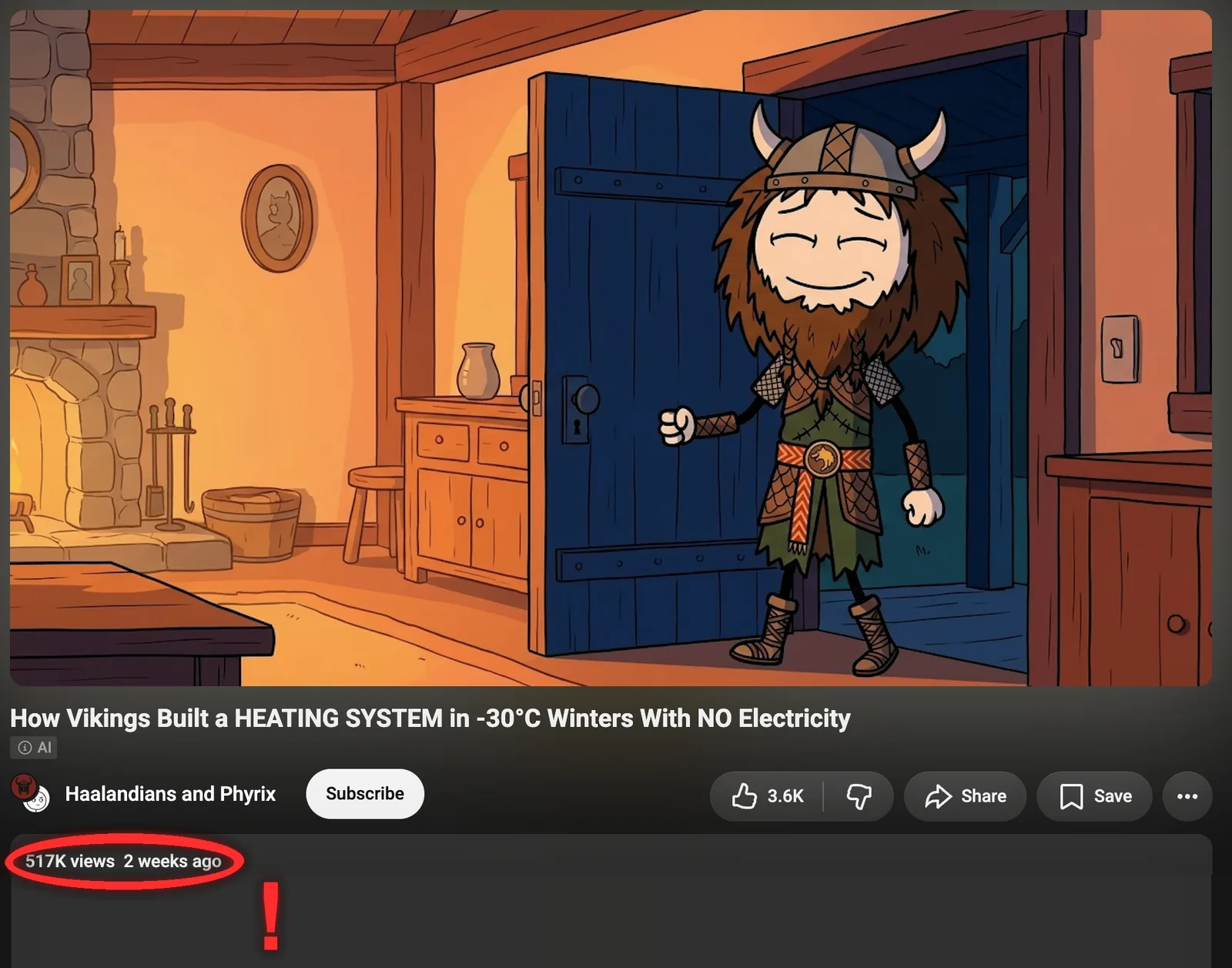
Open the video, hit Share, and copy the link. Any YouTube link format works. That single URL is everything Calliope needs in step 2.
Why this matters. You are copying the visual system, never the video: line weight, palette, how the character is built. That system works across a hundred topics. The script has to be yours, and step 3 is about exactly that.
2. Turn the style into a template
Two ways in, same result: a look you can reuse forever. The template gets saved, so video 2 and video 100 come out of the same visual system without you touching a setting again.
- Paste the URL into Calliope and run Extract style. It watches the video, writes the style prompt and pulls the reference frames for you.
- Or hand the agent 5 to 7 screenshots of the look and ask it to build the template. Slower, and clearly better if you already have your own character or you want the style pinned exactly.
- Set the quality to High and leave animation off.
That third setting is the one people get wrong, and it is the reason this format is cheap. The original barely moves. It is flat art with a voice over the top, and on a phone a still frame reads exactly the same as a slow pan. Turning animation off cuts the cost of every clip and takes nothing away from the video.
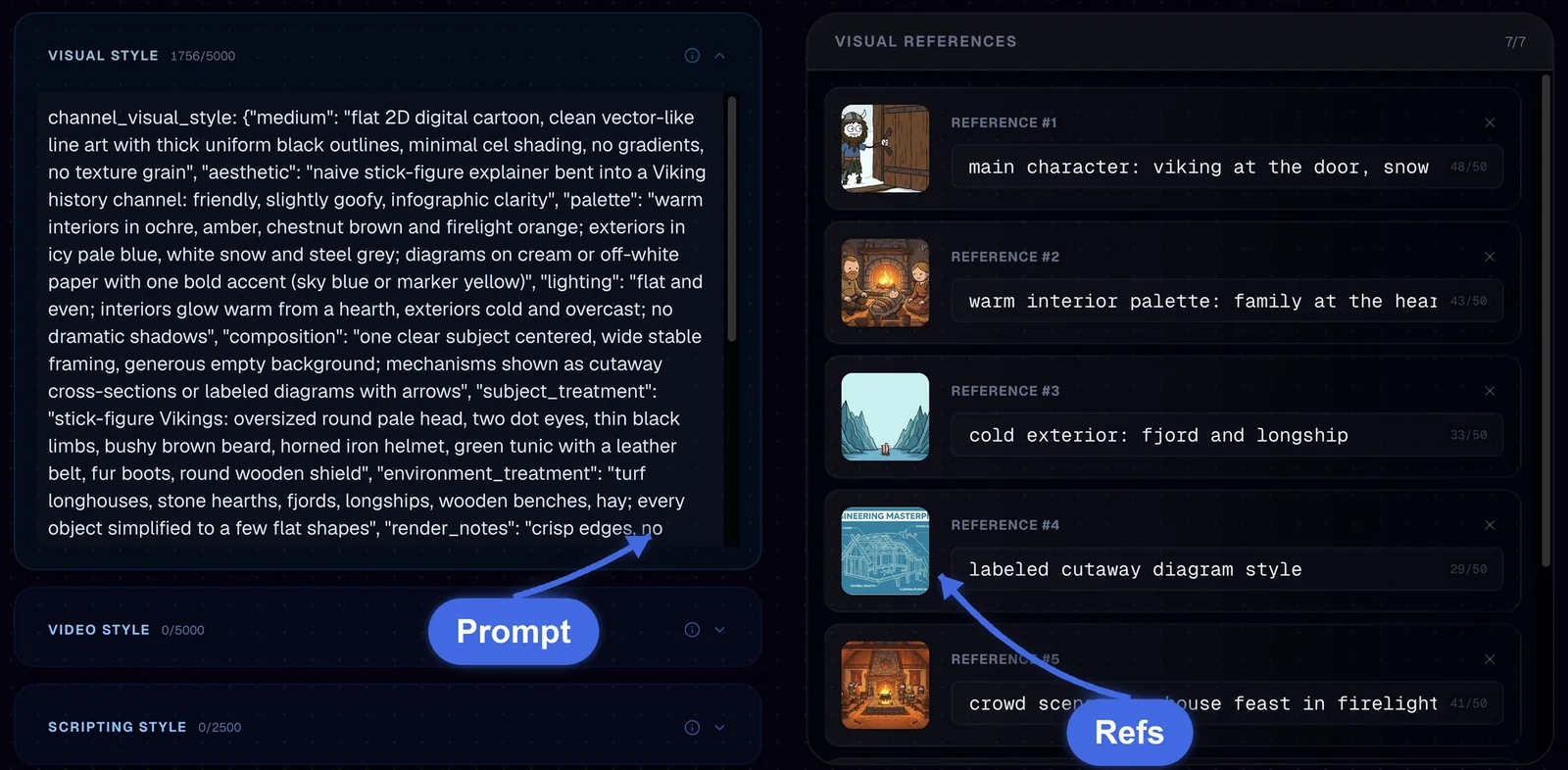
Read that left panel, because it is what a good extraction looks like. It pins the medium (flat 2D digital cartoon, thick uniform black outlines, no gradients, no texture grain), the palette (warm interiors in ochre and firelight orange, exteriors in icy pale blue and steel grey), and the character construction down to the two dot eyes and the horned helmet. That last part is what keeps your viking the same viking in shot 40.
The references on the right are named for the job they do: main character at the door, warm interior palette, cold exterior fjord, labeled cutaway diagram, crowd scene by firelight. Cover the situations your script will actually need, not five versions of the same shot.
3. Write the script and generate
Creation Lab handles the character reference sheet and the shoot. The words are the part it cannot do for you, and on this format the words are the whole video.
- Give the agent your topic, or paste your own script. If it reads like a chatbot wrote it, run it through the anti-slop writing tool in the Calliope MCP first. It is free, it costs no credits, and it hands back the rules a spoken script actually needs.
- Approve the character reference sheet. Every frame is built from it, so this is where consistency comes from.
- Hit Start Generation.
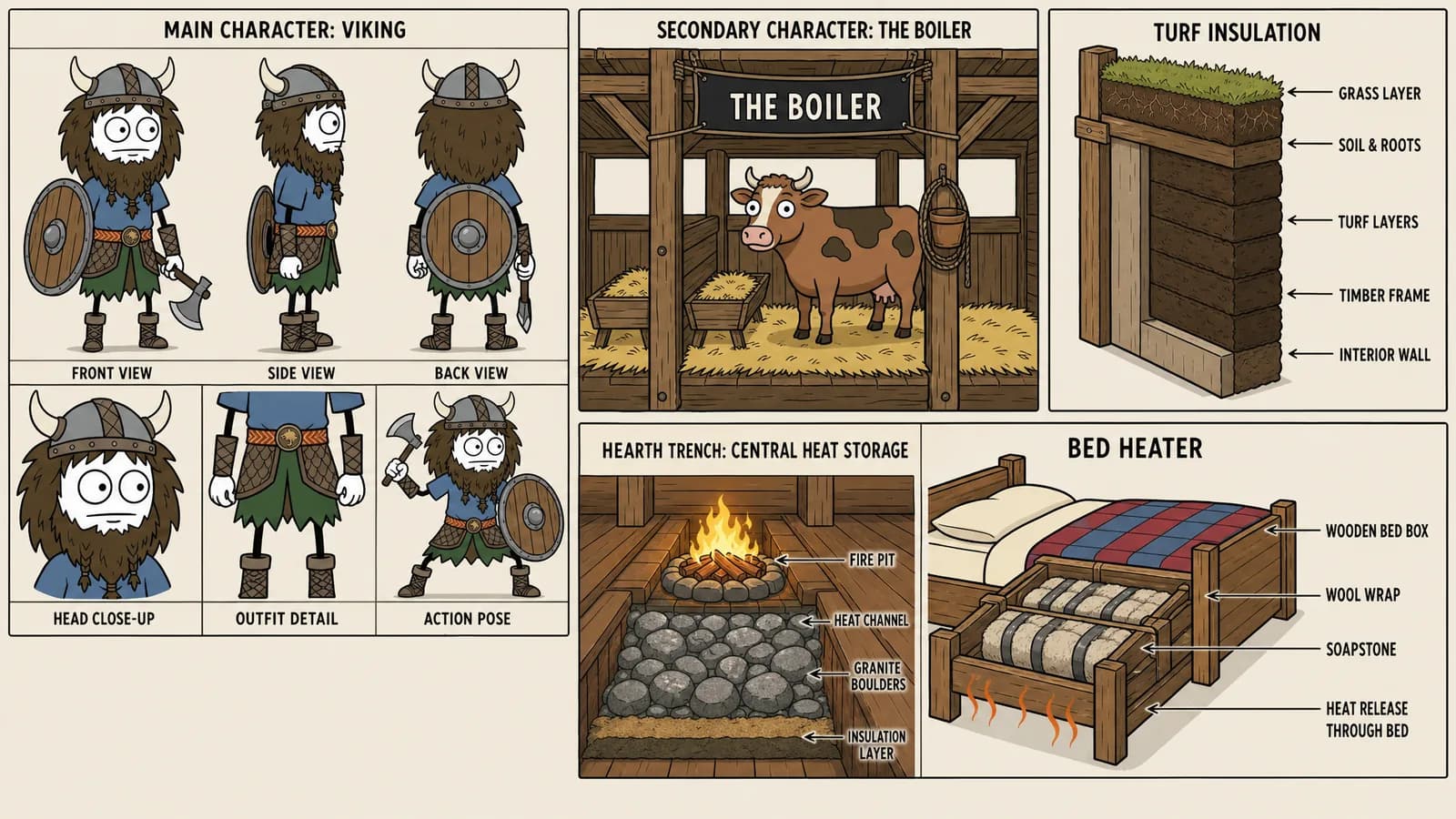
That sheet is your approval gate and it is worth reading properly. It locks the face, the outfit, the proportions and, on an explainer like this one, the diagrams too. Fixing the helmet here costs one image. Fixing it after generation means every clip is wrong the same way.
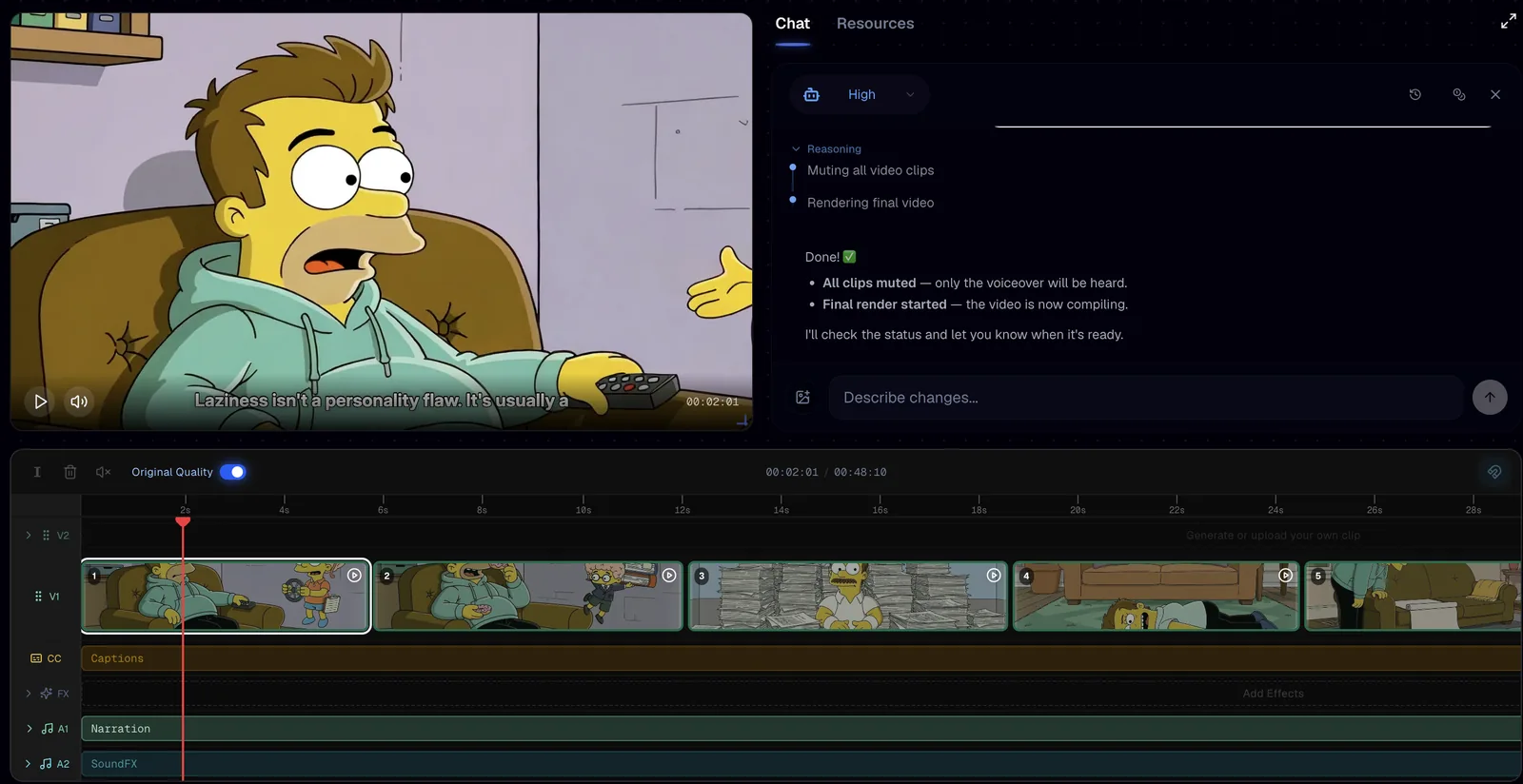
What you get back is not a file to accept or reject. It is a timeline, so you can cut a weak beat, retime a line or regenerate one shot without touching the other forty.
Common mistakes
- Leaving animation on for a format built on still art, which multiplies the cost of every clip and buys you nothing a viewer notices.
- Cloning the reference video's topic as well as its look, which puts you head to head with a video the algorithm already promoted.
- Publishing a script that reads like it was generated, on a format where the voice over carries the entire video.
- Judging a reference on views alone and copying a format that peaked two years ago.
- Approving the character reference sheet without reading it, then wondering why the helmet changes halfway through.
FAQ
How do I make a stick figure animation video without drawing?
You clone the visual system from a video that already works and let Calliope generate the frames. Paste the reference URL, run Extract style to build the template, then use the Creation Lab to write the script, approve the character reference sheet and generate the clips. No drawing or animation software is involved.
Is it legal to copy the style of a YouTube video?
You are copying a visual system, not a video: line weight, palette and how a character is built, none of which is the other creator's footage, script or narration. Write your own script, pick your own topic, and never re-upload someone else's clips or voice track. If a specific case worries you, get your own legal read on it.
Should I turn animation on for a 2D viking video?
No. The format works because it is flat art plus a strong voice over, and the reference video barely moves. Still frames at High quality read the same on a phone and cost a fraction of animated clips. Save animation for formats where motion is actually part of the story.
Why does my viking look different in every scene?
Because nothing pinned the character before the shots were generated. The character reference sheet fixes it: it locks the head shape, the helmet, the beard, the outfit and the proportions in one approved image, and every later frame is built against that image instead of against a paragraph of text.
Make your own
Same three steps, any look you want: pick the reference, build the template, write a script worth listening to. Head to calliopelabs.co and plan your first video for free.
Take the whole guide with you
2D viking guide (PDF, 3 pages). Same content, laid out to print or to keep on your phone while you build.
Keep reading
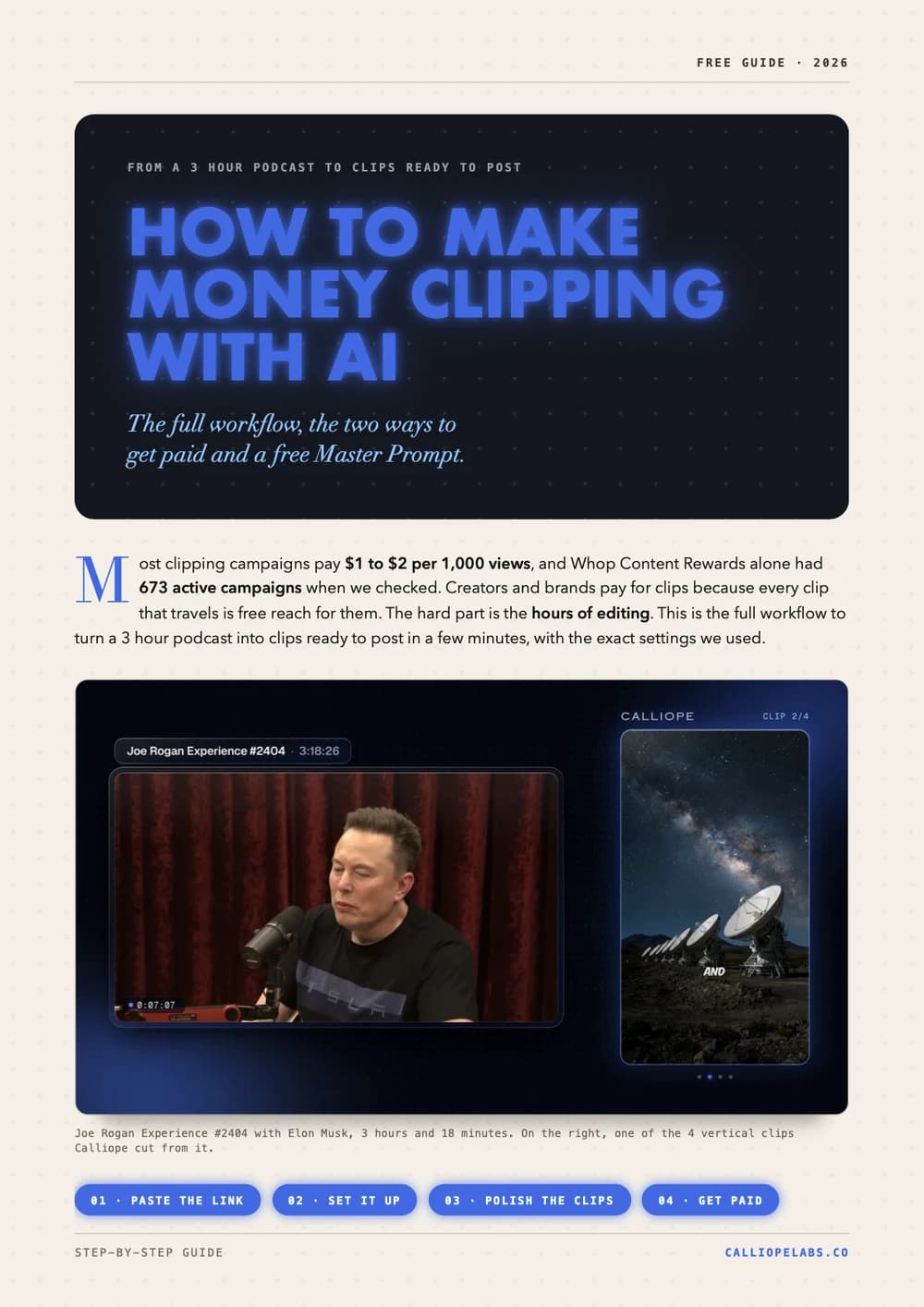
Make money clipping with AI
Turn a 3 hour podcast into vertical clips in minutes, find campaigns that pay $1 to $2 per 1,000 views, and copy a free Master Prompt for AI agents.
Make Vox style shorts with one prompt pack
The Image Prompt, the Video Prompt and a Master Agent Prompt that build the whole Vox style documentary collage template for you. Copy them verbatim.
Make a Simpsons style video
Lock the cartoon look with a reusable character sheet prompt, turn it into a template, and let Calliope shoot the whole thing.
Make an ancient humans video
Clone the look of a video that already works, turn it into a reusable template, and generate your own 2D animated history shorts.