Guide · 7 min read · Updated October 24, 2026
How to Copy the Look of a YouTube Video With AI, Step by Step
A cartoon explainer from a channel with 54.5k subscribers reached 4.1 million views in 11 days. We rebuilt its first minute from the YouTube link alone, with the same narration and no drawing. The first style Calliope extracted was wrong, so this guide also shows how we caught it and fixed it. Every step below is what we did, with the numbers we measured.
What you need
- A Calliope account at https://calliopelabs.co on a paid plan. Extract Style and Test Style open the pricing page on the free plan
- The YouTube link of the video whose look you want. Ours was How a Country With Zero Rivers Drinks Water by GoDocs
- The narration of the part you want to copy, 900 characters or more. Ours was 1,003
- Credits: 563 to generate our video and 328 to animate half of it
1. Paste the link and extract the style
Open the Visuals Lab, click Extract Style under the composer, paste the YouTube link and tick the Video Style Policy box. Then click Extract Style in the dialog. It took about 2 minutes for a video of 9 minutes 25 seconds, and it did not cost credits.
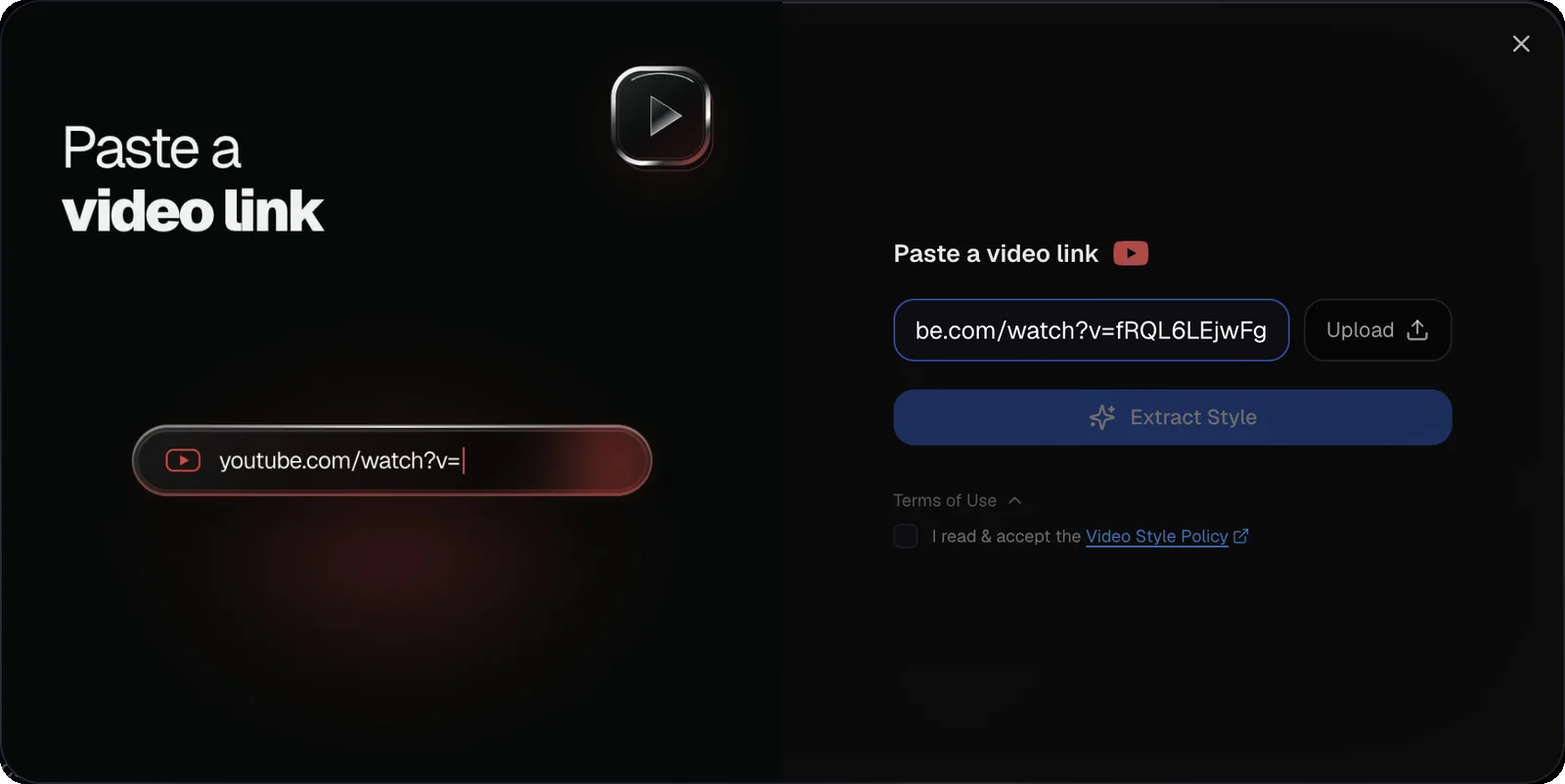
You get three things back: a Visual Style (the image style) of 1,572 characters, a Video Style of 987 characters and 7 reference images, each labeled for what it shows. Do not generate anything yet.
2. Compare it with the real opening and fix it
Extract Style reads the whole video, so its 7 frames came from all over the 9 minute 25 second runtime. Ours showed infrastructure: skyscrapers, a sprinkler, a coastal plant, pipe valves, a pipeline cutaway, a river next to a power grid and a biodome. None showed the cartoon man who carries the opening, which is the minute we wanted to copy.
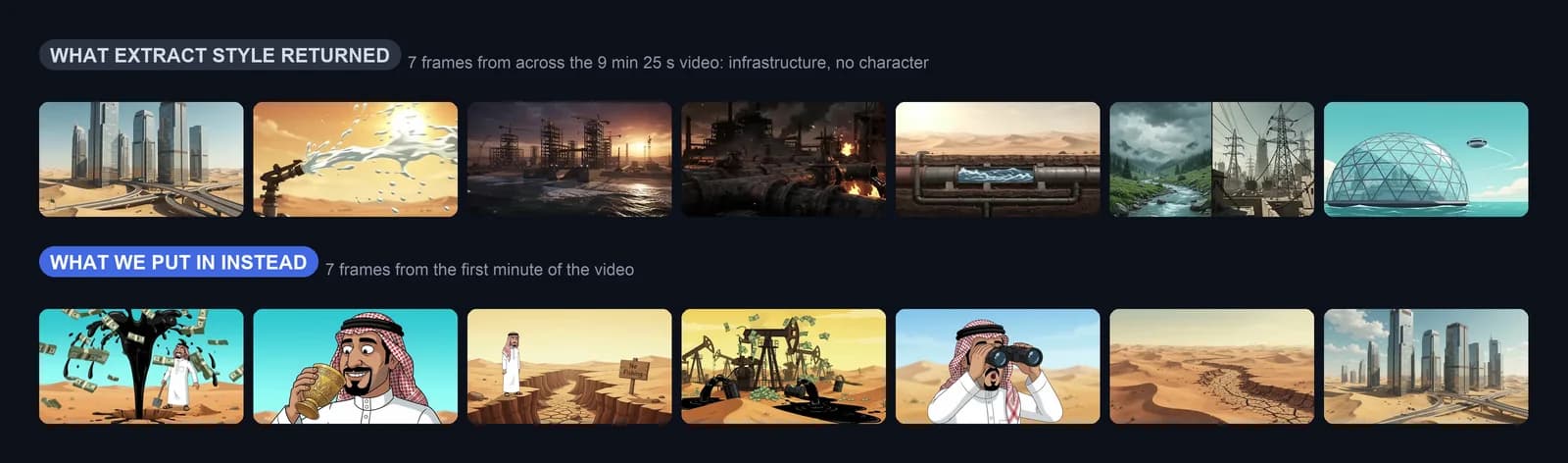
The text it wrote disagreed with the opening too. The Visual Style said 3D digital CGI animation and listed No visible human faces, characters as a constraint, so the cartoon man was banned before we started. The Video Style asked for 2D cel animation. Whatever the text says is what you will get.
The first time, we skipped this check and paid for a full video in the wrong look. The fix took three edits:
- Rewrite the Visual Style: 2D cartoon, thick clean outlines, flat colors, one recurring main character described in detail, and an explicit ban on 3D CGI and photorealism
- Rewrite the Video Style to match: 2D cartoon motion, a locked camera and expressive reactions
- Replace the 7 references with frames of the first minute (we took them at 0:02, 0:04, 0:14, 0:18, 0:26, 0:48 and 1:00) and label each one for what it shows
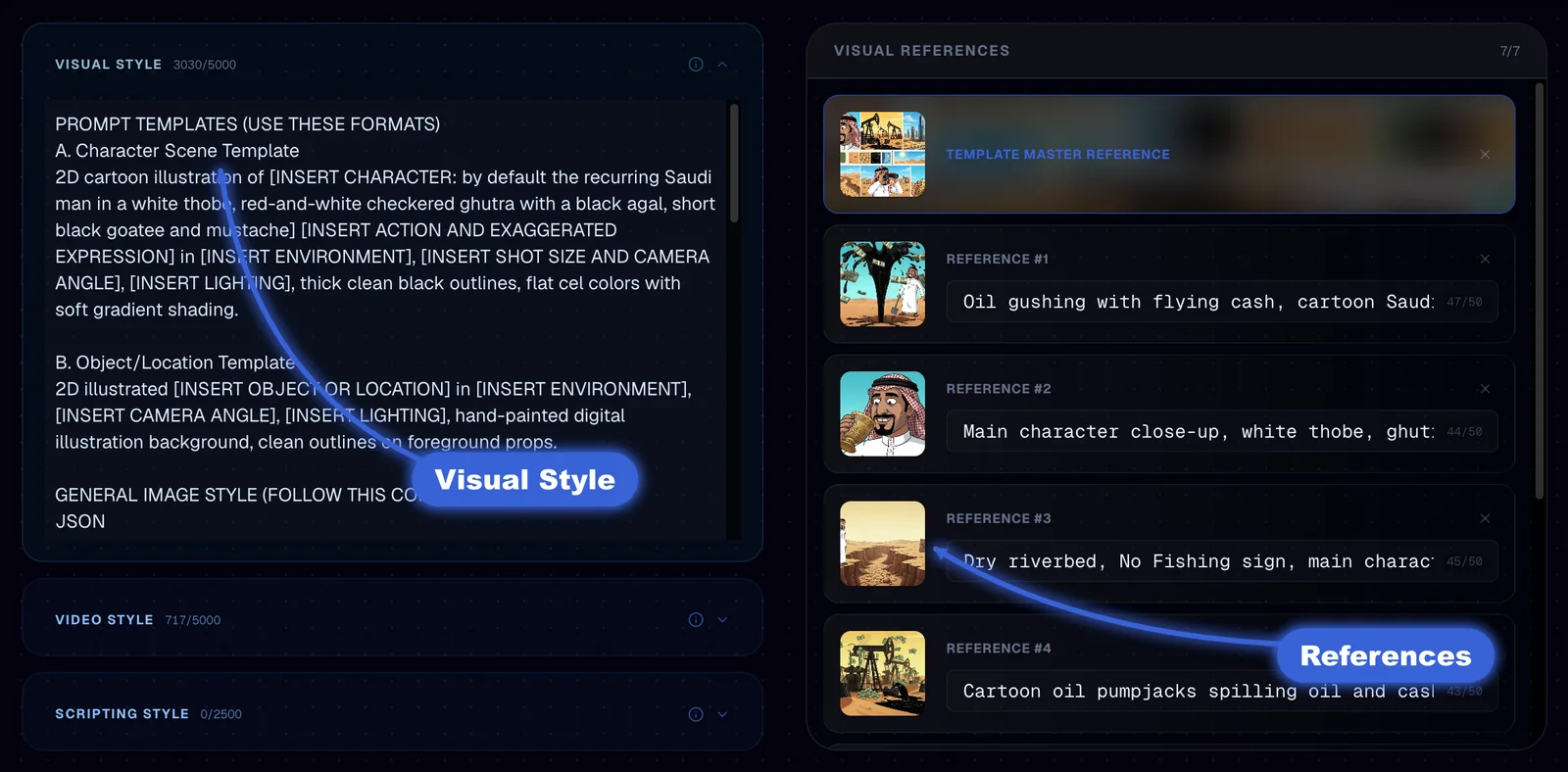
Both texts and the 7 labels are at the end of this guide, copied as is. Click Save Videos Template when you are done.
3. Test the style for free
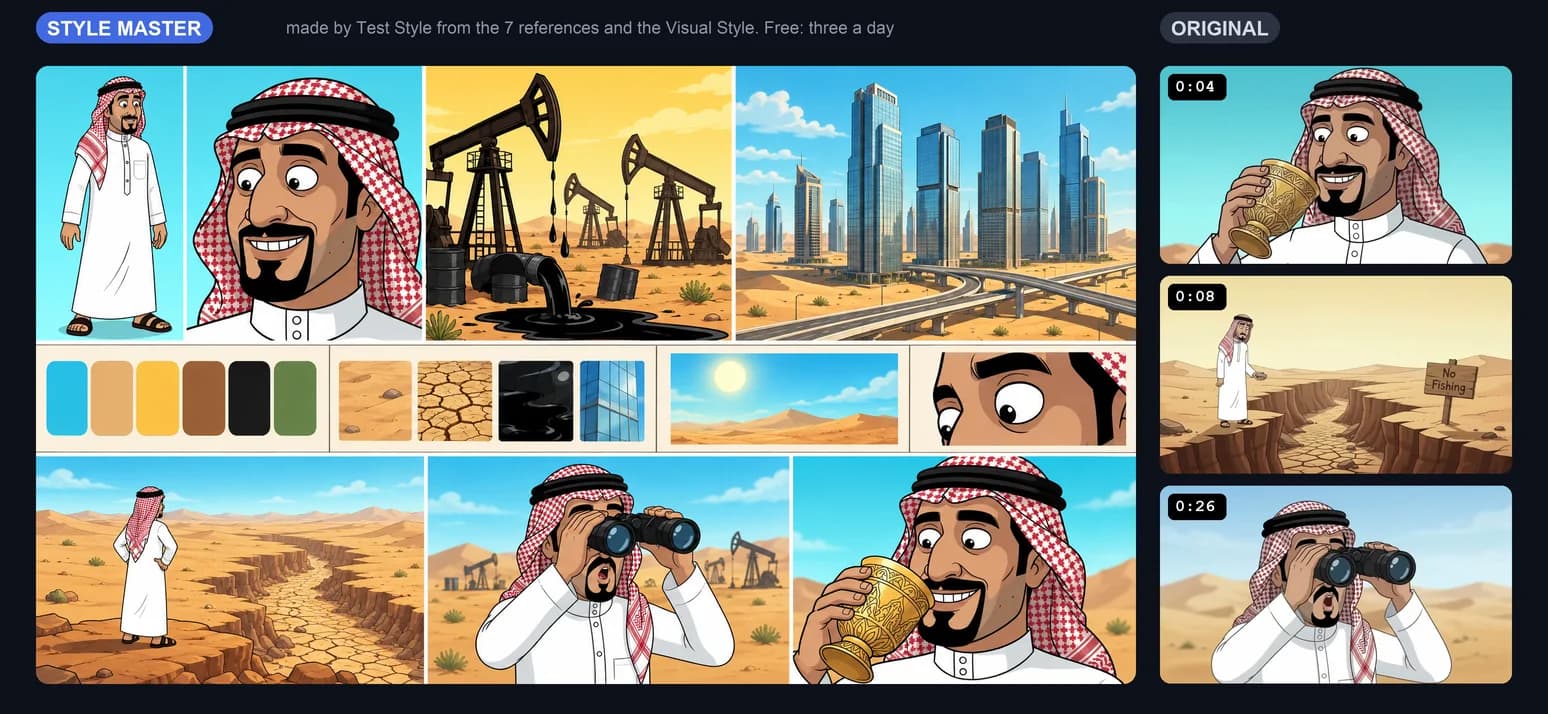
Click Test Style. Calliope builds one image from your references and your Visual Style: the Style Master, a sheet with the character, a palette, textures and sample shots. It took about a minute. Three a day are free on a paid plan, and the pill shows how many are left. The result becomes the first reference of the template.
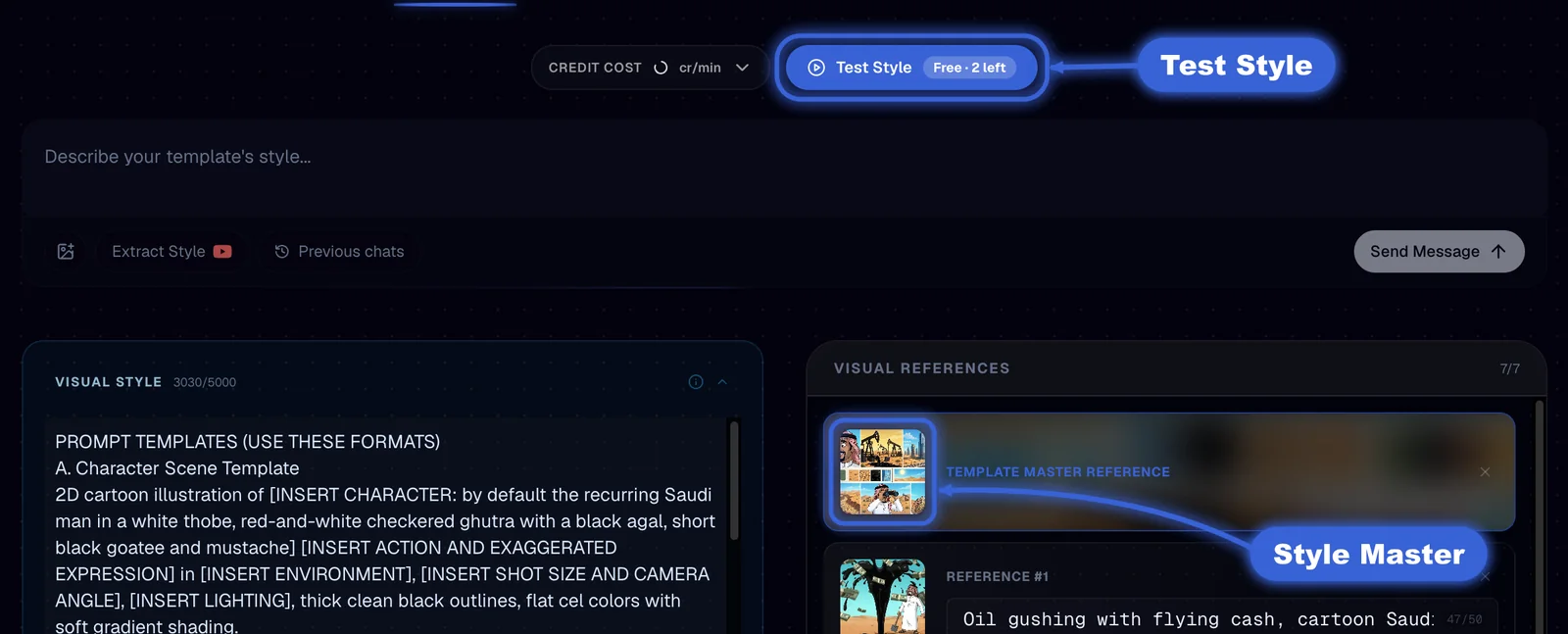
Put it next to frames of the original. In ours, the man, the thick outlines and the turquoise and sand palette read as the same family, so we went ahead. If yours looks like another channel, go back to step 2: repeating it costs nothing until the free tests run out.
4. Paste the narration and generate in Extra High
For a fair test we used the original narration: the first 64 seconds, 1,003 characters, cut at the end of a sentence. We took it from the audio of the video with speech to text, not from YouTube's automatic captions, because captions add tags such as [music] and change the punctuation. For a video you will publish, write your own script.
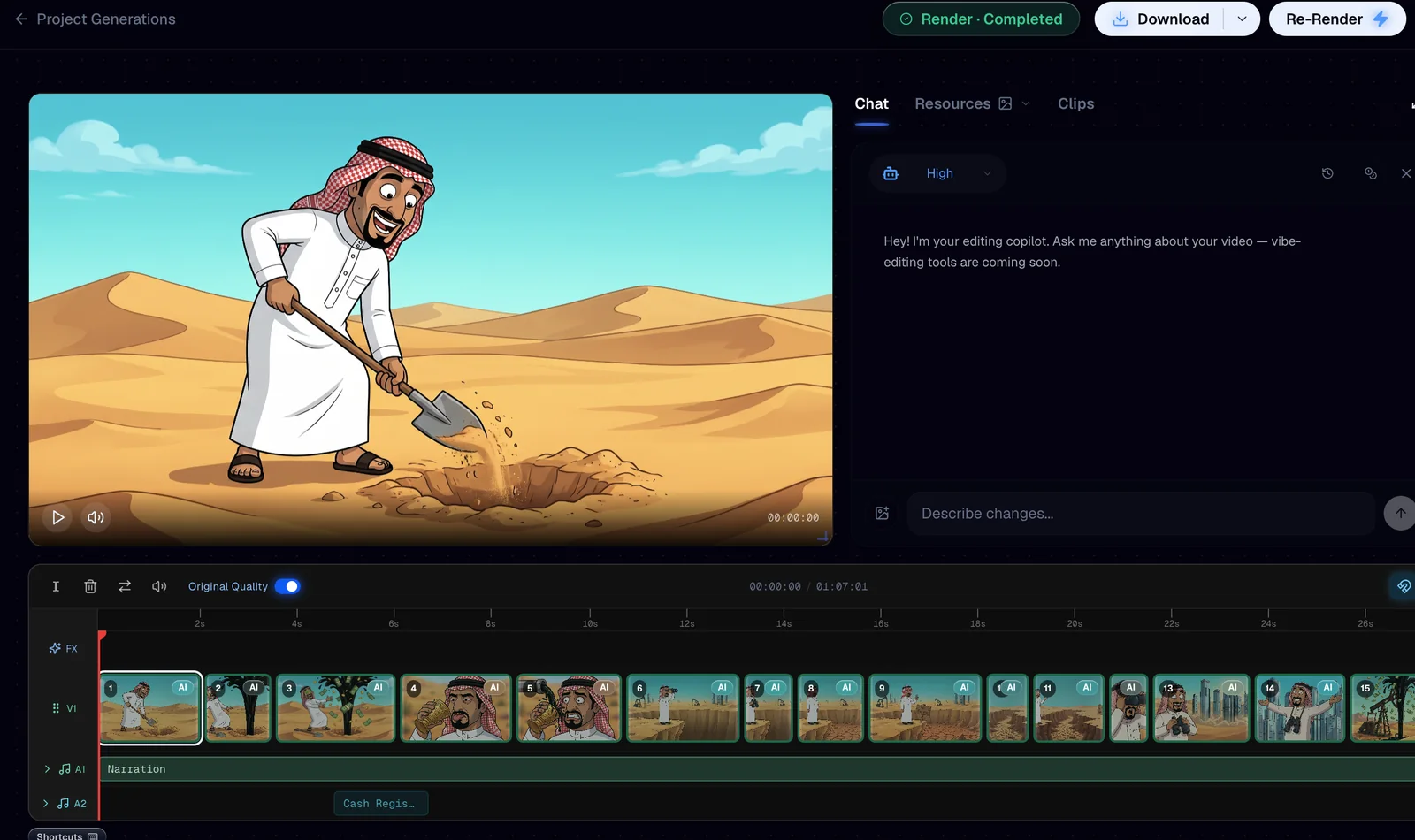
In the Creation Lab, pick your template under Templates, click Script and paste the narration, then open Visuals Quality and choose Extra High. Leave animation off and start the generation. Calliope quotes the price before it begins: 563 credits for ours, with a narrator voice. It finished in under 20 minutes: 34 scenes in 67 seconds.
5. Animate the first half from the copilot
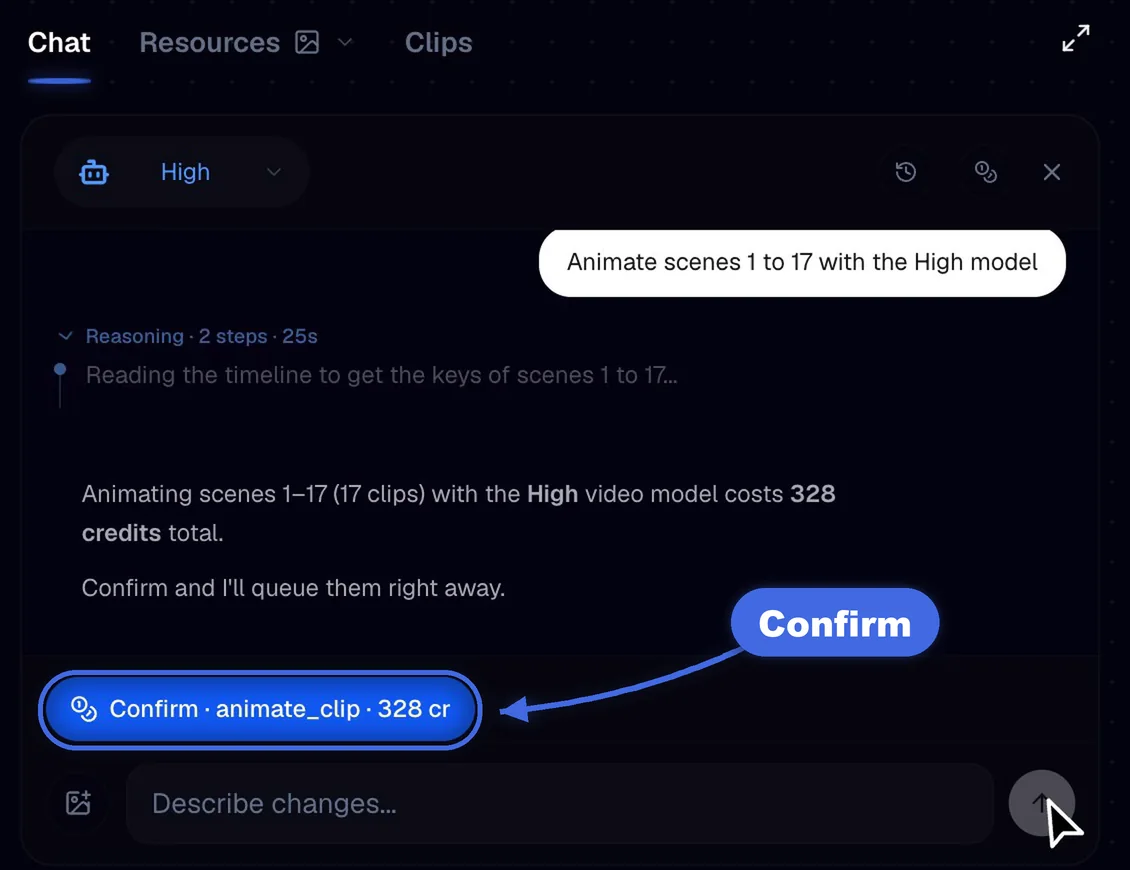
Animation is a separate step, so you decide how much of the video moves. In the editor, open Chat and send one message:
Animate scenes 1 to 17 with the High modelThe copilot read the timeline and quoted 17 clips for 328 credits with a Confirm button. Nothing is spent until you press it. After Confirm, all 17 clips were back in about 30 seconds. The other 17 scenes stay as still images.
6. Render and export
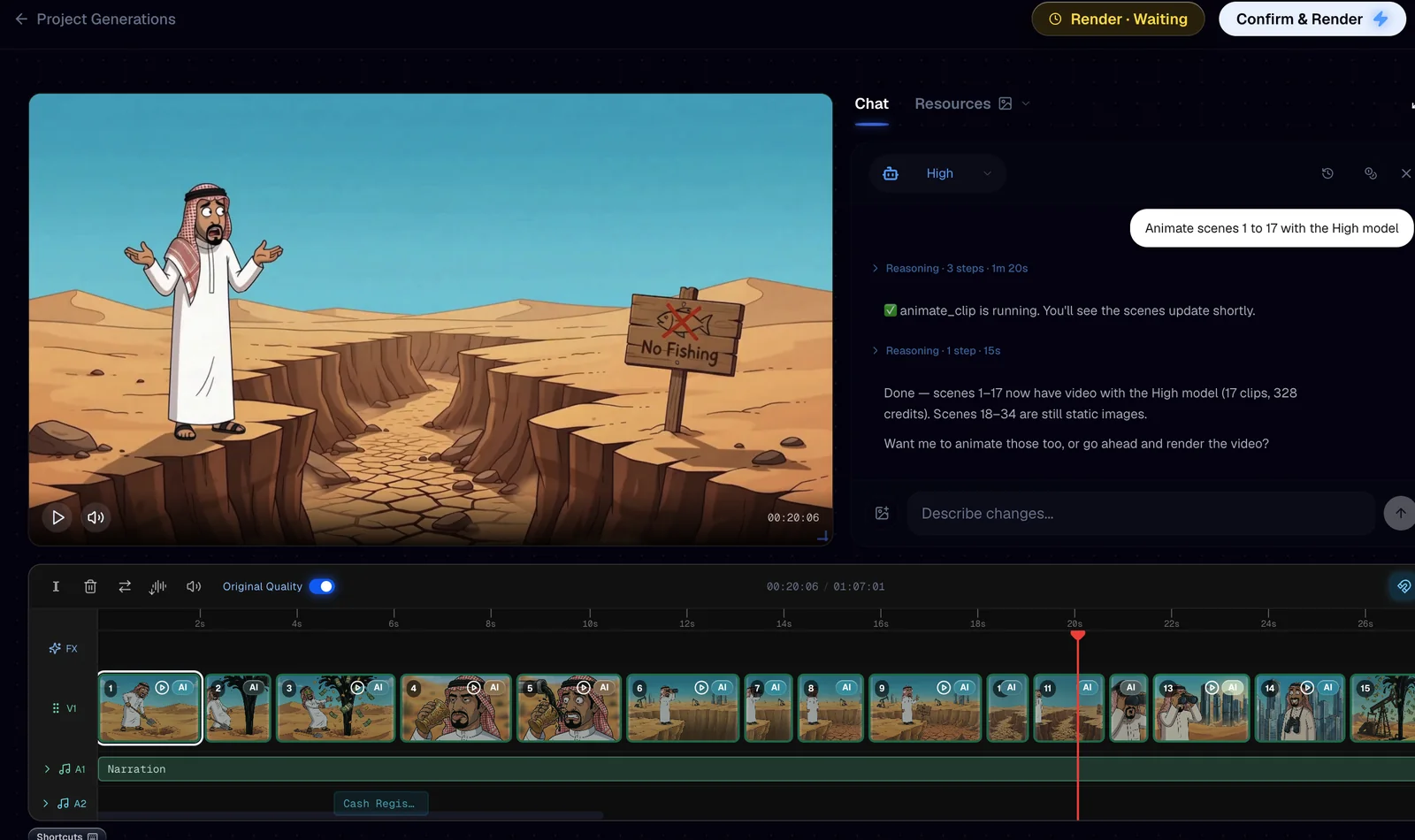
The header of the editor shows the render state. Calliope rendered the video by itself when the generation finished: it read Render · Completed, with Download and Re-Render beside it. After the animation it reads Render · Waiting, because the video needs a new render to include the 17 moving scenes. Confirm & Render does that. Turn on Original Quality in the timeline toolbar to preview at full quality before you do.
We stopped there on this run, so we cannot tell you what that render costs or how long it takes. What we can show is the result of the generation: the same beats from the original and from our job, as still scenes before the animation.
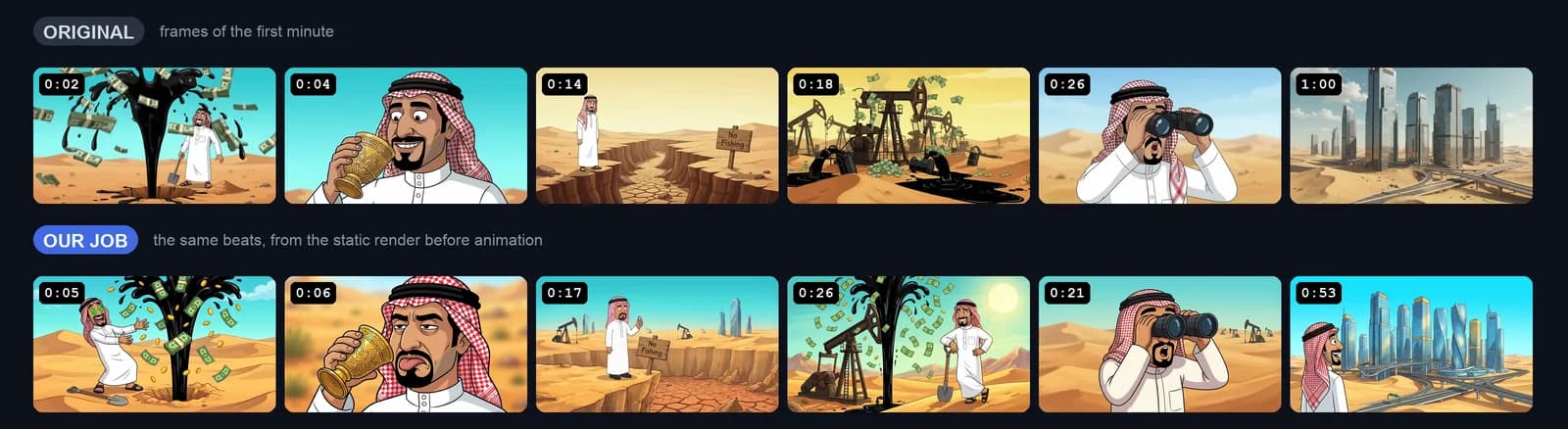
Look at every scene before you animate or render. In ours the man keeps the same design from the first scene to the last. The final scenes, the ice age rain, are painted landscapes with no character in them.
The prompts, copied as is
Paste these into a template if you want the same look without extracting it. They describe the look of one video, so change the character and the places for yours. Take your own frames from the part you want to copy, and label each one for what it shows.
Visual Style
PROMPT TEMPLATES (USE THESE FORMATS)
A. Character Scene Template
2D cartoon illustration of [INSERT CHARACTER: by default the recurring Saudi man in a white thobe, red-and-white checkered ghutra with a black agal, short black goatee and mustache] [INSERT ACTION AND EXAGGERATED EXPRESSION] in [INSERT ENVIRONMENT], [INSERT SHOT SIZE AND CAMERA ANGLE], [INSERT LIGHTING], thick clean black outlines, flat cel colors with soft gradient shading.

B. Object/Location Template
2D illustrated [INSERT OBJECT OR LOCATION] in [INSERT ENVIRONMENT], [INSERT CAMERA ANGLE], [INSERT LIGHTING], hand-painted digital illustration background, clean outlines on foreground props.

GENERAL IMAGE STYLE (FOLLOW THIS CONSTRAINTS)
JSON
{
  "channel_visual_style": {
    "medium": "2D digital cartoon illustration in the look of a modern adult animated sitcom: thick clean black outlines, flat cel colors, simple soft gradient shading; backgrounds are detailed hand-painted digital illustrations. Never 3D CGI, never photographic.",
    "aesthetic": "Humorous faceless explainer documentary: an exaggerated, expressive cartoon character and literal visual gags for every line (oil gushing up with flying dollar bills, a wooden 'No Fishing' sign on a cracked dry riverbed, a tap pouring into an empty glass).",
    "palette": "Saturated turquoise and cyan skies, warm sand ochres and golden yellows, glossy crude-oil black, dollar-bill greens and gold coins, bright white thobe, red-and-white checkered headdress.",
    "lighting": "Bright midday desert sun and warm golden-hour glows, soft painted atmospheric haze, simple cel shadows on characters.",
    "composition": "16:9 wide desert vistas, medium shots and expressive close-ups of the character, centered readable subjects, clear silhouettes, uncluttered frames.",
    "subject_treatment": "Recurring main character: a Saudi man in a white thobe and red-and-white checkered ghutra with a black agal, short black goatee and mustache, big expressive cartoon eyes, exaggerated comedic reactions, consistent design and proportions in every scene. Props and machines (pumpjacks, taps, glasses, binoculars, money, pipes) are clean cartoon objects with bold outlines.",
    "environment_treatment": "Endless sand dunes, cracked dry riverbeds, oil fields, ornate Arabian palaces, modern glass skyscrapers and highway interchanges rising from the sand; painted with soft texture and depth, always clearly illustrated, never photoreal.",
    "render_notes": "Crisp line art, flat fills with gentle gradients, painterly backgrounds with light texture, saturated but clean colors."
  }
}

OTHER CONSTRAINTS
Every image is a 2D cartoon illustration: no 3D CGI, no architectural or engineering render look, no photorealism.
People are cartoon characters, never realistic humans.
Keep the main character's design identical whenever he appears.
No captions, labels, watermarks or logos; short in-world signs drawn in the scene are fine.
No split-screen panels, multi-frame layouts, or cinematic letterbox bars.
Video Style
2D cartoon animation that matches the reference images: thick clean outlines, flat cel colors and painted backgrounds, never 3D or photoreal. Maintain a static, rock-steady locked-off camera position with zero handheld shake, drift, or jitter. Characters move with measured, expressive cartoon poses and exaggerated comedic reactions, keeping their design identical. Fluid elements such as dripping oil, flowing water, flying dollar bills or erupting bursts animate with snappy, looping arcs and distinct droplets. Environmental movement is restrained: stylized puffs of dust, heat shimmer, drifting clouds. Keep crisp graphical clarity throughout the shot, avoiding motion blur, lens distortion, or camera breathing.Reference labels
1 Oil gushing with flying cash, cartoon Saudi man
2 Main character close-up, white thobe, ghutra
3 Dry riverbed, No Fishing sign, main character
4 Cartoon oil pumpjacks spilling oil and cash
5 Main character with binoculars, skyline behind
6 Painted desert dunes with a cracked dry channel
7 Glass skyscrapers and highways rising from sand
Common mistakes
- Generating before you read what Extract Style wrote
- Trusting the 7 references: they come from the whole video, not from the minute you want
- Skipping the Style Master, the cheapest check there is
- Using YouTube's automatic captions as the narration
- Animating every scene by default: we animated 17 of 34 and left the rest as still images
FAQ
How do I copy the style of a YouTube video with AI?
Paste the video link into Extract Style, compare the 7 references and the two style texts with the part you want to copy, fix them, test the style with the Style Master, then generate your own script. The steps above show each one with the numbers we measured.
Why does Extract Style not match the opening of my video?
It reads the whole video and keeps 7 frames from all over it, so the references can come from a later part with a different look. Ours did. Replace them with frames from the part you want and rewrite the Visual Style to match.
What is the Style Master and what does it cost?
It is one 16:9 sheet that Calliope builds from your references and your Visual Style: the character, a palette, textures and sample shots. It lets you check the look without paying for a video. Three a day are free on a paid plan, and after that each one costs 14 credits at the time of writing.
How much did this video cost?
563 credits to generate 34 scenes at Extra High quality with a narrator voice, and 328 credits to animate the first 17 scenes with the High model. Calliope showed both prices before charging us.
Is it legal to copy the style of a YouTube video?
You are copying a visual system, not a video: how things are drawn and colored, none of which is the other creator's footage, script or narration. Write your own script, pick your own topic and never re-upload someone else's clips or voice track. We used the original narration once, to test the template under the same conditions. If a specific case worries you, get your own legal read on it.
Make your own
Same steps for any video you want to learn from: paste the link, fix what it extracted, test the style, then generate. Start at calliopelabs.co
Take the whole guide with you
Copy a YouTube look guide with the prompts (PDF, 4 pages). Same content, laid out to print or to keep on your phone while you build.
Keep reading
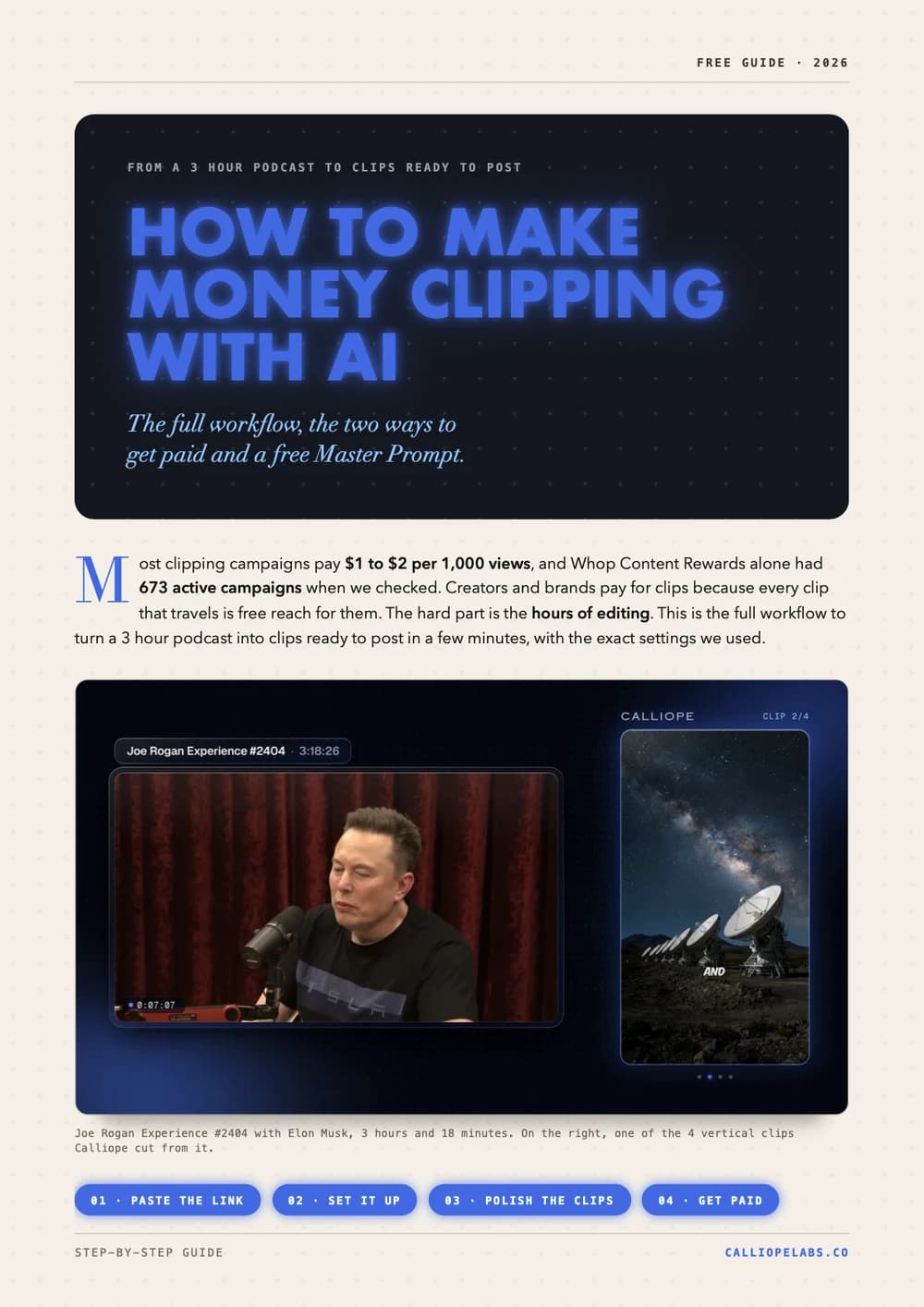
Make money clipping with AI
Turn a 3 hour podcast into vertical clips in minutes, find campaigns that pay $1 to $2 per 1,000 views, and copy a free Master Prompt for AI agents.
Make Vox style shorts with one prompt pack
The Image Prompt, the Video Prompt and a Master Agent Prompt that build the whole Vox style documentary collage template for you. Copy them verbatim.
Make a 2D viking video
A channel with 878 subscribers cleared 367,000 views in 13 days with one stick figure viking video. Clone the look, write your own script, generate.
Make a Simpsons style video
Lock the cartoon look with a reusable character sheet prompt, turn it into a template, and let Calliope shoot the whole thing.
Make an ancient humans video
Clone the look of a video that already works, turn it into a reusable template, and generate your own 2D animated history shorts.